
Why wait until submission day to find copied code?
By the time a heap of Homework3.java files hits your grading rubric, the plagiarized ones have already corrupted peer-review rounds and wasted TA office hours. The 2023 Stanford Computer Science Education survey found that 42% of undergrads admitted to copying or lightly modifying code from classmates or the web on at least one assignment, while a separate UC Berkeley study caught 34% of students using large-language models like ChatGPT or Copilot on coding tasks without attribution. The numbers are not hypothetical — they are already in your repo.
Running a code plagiarism checker inside your CI pipeline changes the timeline. Instead of running MOSS or JPlag after the deadline, you get a similarity and AI-probability report per student on every push. GitHub Classroom already gives you the event hooks; Codequiry gives you a single API endpoint that spans AST-based similarity, web-source fingerprinting, and multi-model AI detection. This article builds that pipeline from scratch so you can catch issues when students still have time to learn from them.
What GitHub Classroom gives you — and what it doesn’t
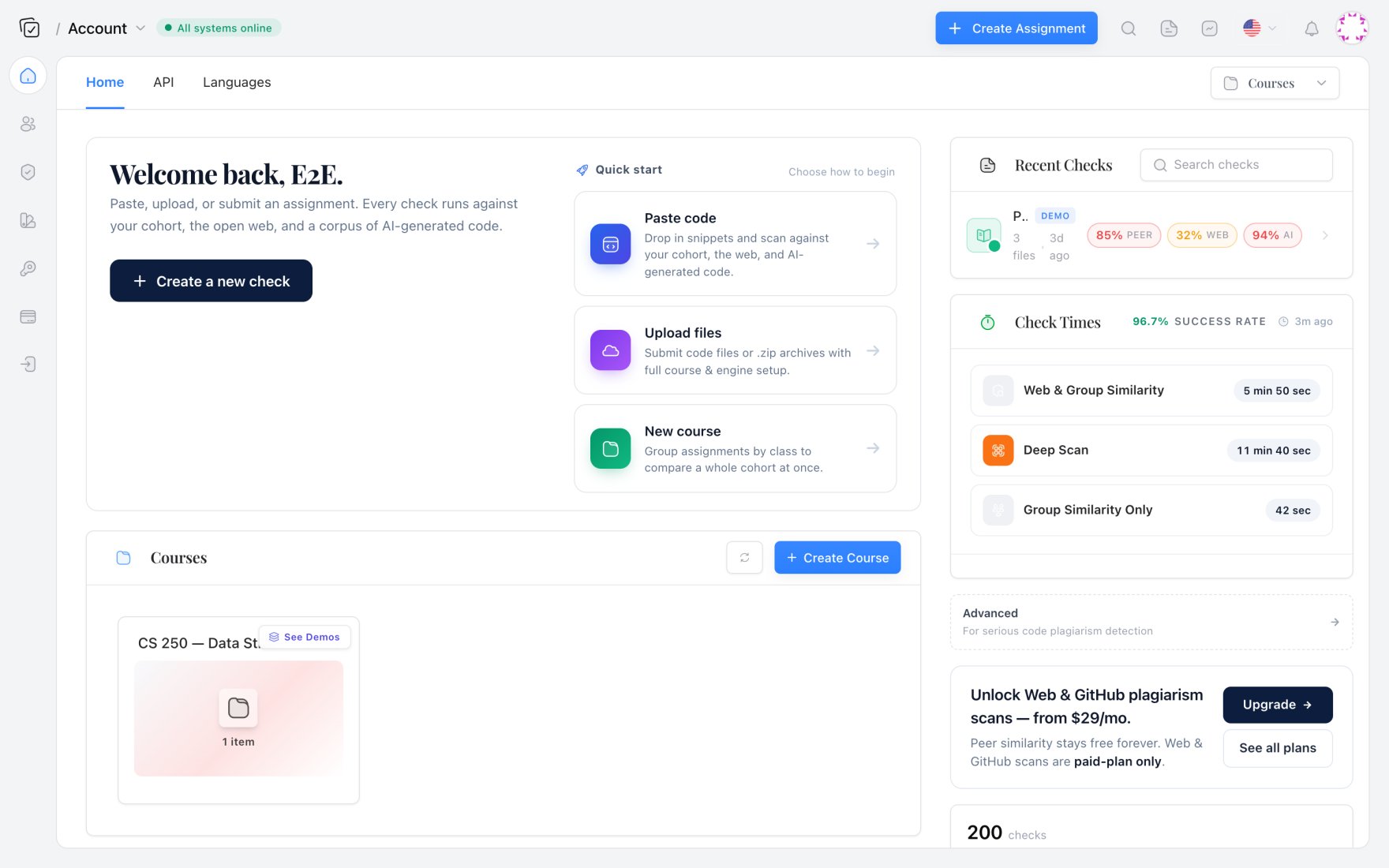
GitHub Classroom automates repository creation and the push-collection loop. Each student gets a private clone of a starter repo; teaching staff get read access to every repo. The platform triggers a webhook on every push, which is exactly what a GitHub Actions workflow can listen for in a central grading repository. Most instructors stop there and pull the code later. That misses the opportunity to reject or flag submissions that fail originality checks before human review.
What the platform doesn’t provide natively is any form of source-code similarity analysis or AI-authorship detection. You’re left copying files into a standalone tool post-hoc. The CI integration fills that gap: a workflow that fires on every push, clones the student’s latest code, calls the Codequiry API, and writes a structured JSON report into a dedicated branch or artifacts. TAs then open the report alongside the PR — or, if you set the workflow to fail on high-confidence matches, the student sees a red ❌ and a direct message before the submission window closes.
Getting the API keys and setting scopes
Codequiry’s REST API handles both peer-to-peer similarity (tokenization + AST fingerprinting that survives variable renames, loop rearrangements, and comment deletions) and AI-generated code detection (models trained to distinguish human versus model-produced patterns across Python, Java, C++, JavaScript, and more). You need two separate endpoints, but a single account can issue an API key with access to both.
After signing up, navigate to the API section of the dashboard. Generate a key with read:submissions and write:reports scopes. Store the key as a repository secret named CODEQUIRY_API_KEY in your GitHub Classroom organization’s central grading repo. You’ll also need the assignment_id for the particular problem set, which you can grab from the web dashboard or create programmatically via POST /v1/assignments. For this walkthrough we assume you already have an assignment with ID asgn_cs50_2025_pset3 and a list of enrolled student GitHub usernames.
Writing the GitHub Actions workflow
The workflow runs on push events from any student repository that GitHub Classroom manages. You can trigger it by listening to the central repo’s repository_dispatch event, but a simpler approach is to have each student’s private repo contain a shared Action that calls the central grading logic. I prefer a dedicated “checks” repo that pulls the latest code from each student on a schedule or via classroom webhook relay. The example below uses a cron schedule every 10 minutes combined with a manual dispatch — pick whichever fits your late‑penalty policy.
name: Run Codequiry Similarity & AI Detection

on:
  schedule:
    - cron: '*/10 * * * *'   # every 10 min during assignment window
  workflow_dispatch:

jobs:
  analyze:
    runs-on: ubuntu-22.04
    steps:
      - name: Checkout student repos list
        uses: actions/checkout@v4

      - name: Install jq and curl
        run: sudo apt-get install -y jq curl

      - name: Fetch and scan each student
        env:
          API_KEY: ${{ secrets.CODEQUIRY_API_KEY }}
        run: |
          # Read student usernames from a config file
          while IFS= read -r student; do
            echo "Scanning $student..."
            REPO_URL="https://x-access-token:${{ secrets.GH_PAT }}@github.com/your-org/${student}-pset3.git"
            git clone --depth 1 "$REPO_URL" "submissions/${student}"

            # Run similarity against peer pool + web
            SIM=$(curl -s -X POST "https://api.codequiry.com/v1/check/similarity" \
              -H "Authorization: Bearer $API_KEY" \
              -F "assignment_id=asgn_cs50_2025_pset3" \
              -F "student_id=${student}" \
              -F "file=@submissions/${student}/Homework3.java")

            # Run AI detection
            AI=$(curl -s -X POST "https://api.codequiry.com/v1/check/ai" \
              -H "Authorization: Bearer $API_KEY" \
              -F "file=@submissions/${student}/Homework3.java" \
              -F "language=java")

            # Save report
            echo "$SIM" > reports/${student}_similarity.json
            echo "$AI" > reports/${student}_ai.json
          done < students.txt

      - name: Upload reports as artifact
        uses: actions/upload-artifact@v4
        with:
          name: codequiry-reports
          path: reports/
The script clones each student’s latest submission, then calls two separate Codequiry endpoints. The similarity check compares the file against the peer pool you’ve already uploaded (or that the API builds from assignment_id) and against public web sources including GitHub, Stack Overflow, and tutorial sites. The AI detection endpoint returns a probability score along with per-line annotations. Artifacts are stored so any TA can download the JSON without re-running checks.
Reading the similarity report: more than a percentage
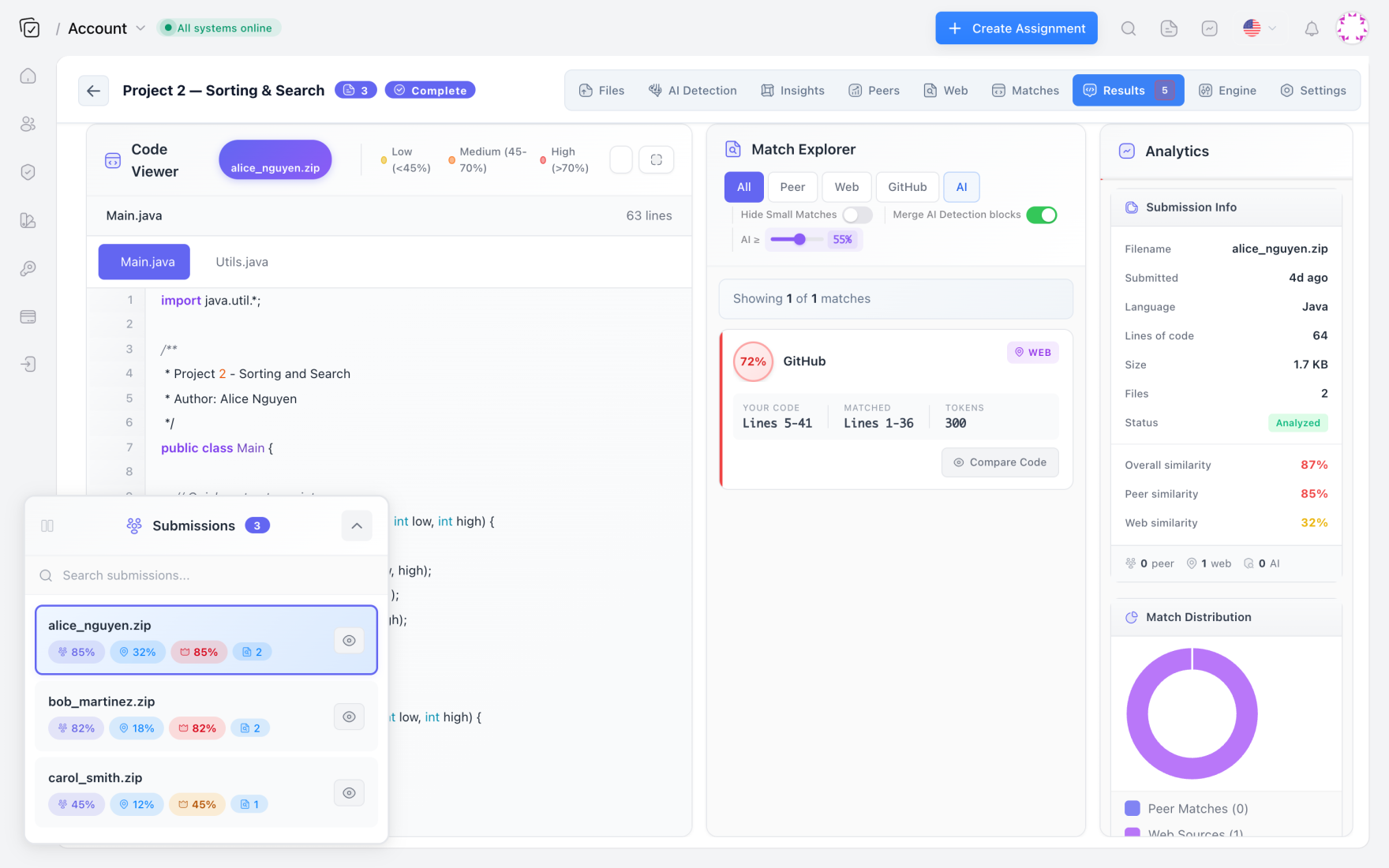
The JSON blob from the similarity endpoint contains matched snippets, origin attribution, and an overall confidence score — not just a single number. For a student who copied a sorting implementation from GeeksforGeeks, you’ll see a web match with the exact URL, line range, and an AST-normalized diff. For peer-to-peer copying where the student renamed variables and reordered loops, the fingerprint‑based comparison still catches the structural similarity even when the normalized edit distance is high.
{
  "student_id": "alice_wang",
  "similarity_score": 0.87,
  "matches": [
    {
      "source": "web",
      "url": "https://www.geeksforgeeks.org/merge-sort/",
      "similarity": 0.94,
      "lines_student": "12-48",
      "lines_source": "30-66"
    },
    {
      "source": "peer",
      "peer_student": "bob_chen",
      "similarity": 0.89,
      "lines_student": "54-102",
      "lines_peer": "50-98",
      "fingerprint_match": true
    }
  ]
}
Key insight from the report: Alice’s submission contains a near-verbatim merge‑sort copy from a known resource and an 89% structural match with another student’s work on a later section. The fingerprint flag tells you the similarity survived renaming and refactoring attempts.
You can decide how to surface this. I set the workflow to post a summary comment on the student’s latest commit using GitHub’s Checks API. Others prefer creating an issue titled “Similarity flag — please review” with the JSON attached. Because Codequiry’s tokenizer normalizes comments and whitespace, the report isn’t thrown off by trivial formatting changes that would fool a text‑based plagiarism tool.
Adding AI-generated code detection to the same pipeline
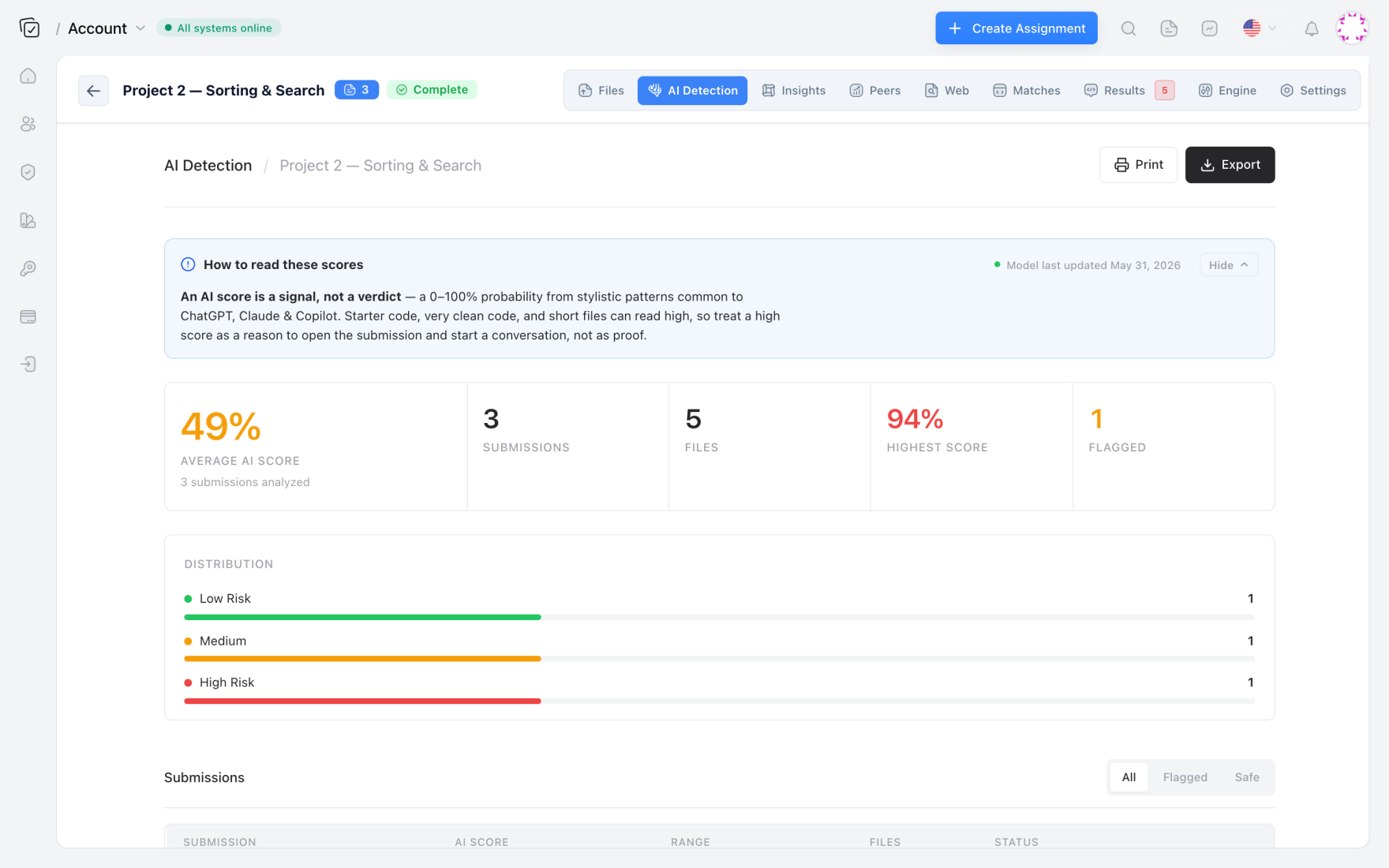
The second curl call in the workflow submits the identical file to the AI code detector endpoint. Codequiry’s model analyzes the file for perplexity patterns, token‑choice burstiness, and typical formatting tells that distinguish human‑written from LLM‑generated code. It provides not just a binary flag but a probability score (0-1) and a per‑function breakdown, so a student who used ChatGPT for one method and wrote the rest themselves doesn’t get blanket‑accused.
{
  "student_id": "alice_wang",
  "ai_probability": 0.72,
  "functions": [
    {
      "name": "mergeSort",
      "ai_likelihood": 0.94,
      "lines": "12-48",
      "signal": "low_perplexity,consistent_bracket_style"
    },
    {
      "name": "main",
      "ai_likelihood": 0.11,
      "lines": "105-130"
    }
  ]
}
Combine both reports: Alice’s mergeSort is both a web‑copied snippet (from GeeksforGeeks) and scored as 94% likely AI‑generated. That kind of double‑positive is rare but instructive — it often means the LLM itself was trained on that tutorial and regurgitated it. The dual‑detection approach avoids the false‑positive trap where a clean but simple human solution gets flagged by AI classifiers alone. When both signals fire on the same lines, you have strong evidence to start a conversation.
Handling false positives and academic-judgment thresholds
No detection tool is perfect. Codequiry’s similarity checker may flag a common textbook recursion pattern as a weak peer match if multiple students implement a standard factorial(int n) function. The AI detector can produce false positives on short, boilerplate‑heavy code or when a student uses an IDE snippet generator. The key is not to rely on a single threshold but to use the reports as a triage layer.
I recommend setting two thresholds in the CI script: a low‑confidence advisory flag (similarity > 0.70 or AI probability > 0.50) that creates a comment for the TA to review, and a high‑confidence hard block (similarity > 0.90 and AI probability > 0.80) that prevents merging until an instructor clears the submission. The script can also compare the student’s previous submission snapshots to see if new code suddenly shows high AI probability — a change‑over‑time heuristic that weeds out students who just write clean code consistently.
For teachers who want to move to a fully automated grading pipeline, Codequiry’s source code plagiarism checker also exposes a web‑hook callback so you can receive reports asynchronously without polling, making large‑class deployment (300+ students) manageable under GitHub’s action time limits.
Why a single‑tool approach beats separate plagiarism and AI detectors
Most educators end up running MOSS or JPlag for similarity and then manually spot‑checking a handful of submissions with GPT‑Zero or a generic AI text detector. That disjointed workflow misses the intersection cases — the student who asks ChatGPT to rewrite a peer’s solution in their own “style.” The similarity checker sees a peer match, but the AI detector also scores the rewrite as AI‑generated. Codequiry’s unified report lets you correlate the two signals, giving you a three‑dimensional view of originality: where did this code come from, and who (or what) wrote it?
The MOSS‑based approach has another weakness: it doesn’t check web sources. A student can pull a complete assignment from a public GitHub repo from a previous semester, run it through a refactoring plugin, and submit code that MOSS finds unique among peers. Codequiry’s web‑source fingerprinting catches that because it indexes a rolling corpus of open‑source code and tutorial sites. The API also returns the exact URL and snippet, which is far more actionable for an academic integrity board than a generic “87% similar” number.
Making the process transparent to students
The CI pipeline only works as an early‑warning system if students know it exists and understand the rules. At the start of the semester, I include a section in the syllabus titled “Automated Originality Checks” with a screenshot of the GitHub Action log showing a passing ❌ and a failed ✅. The message is: every push is scanned; flagged code won’t make it to final grading without a conversation.
This transparency often prevents casual copying in the first place. Students who might copy a snippet from Stack Overflow realize the web‑check will flag it, so they ask the TA instead. For AI‑generated code, the acceptance threshold is a conversation starter: if a student used Copilot for boilerplate but wrote the core logic themselves, the function‑level breakdown in the AI report usually shows low probability where it matters. A clear policy — “AI assistance is permitted on utility functions but not on the algorithmic core of the assignment” — becomes enforceable because the report gives you per‑function granularity.
Frequently Asked Questions
Can I run Codequiry checks without using GitHub Actions?
Yes. The same API calls work in any CI system (GitLab CI, Jenkins, CircleCI) or via a standalone script that a TA runs manually. Codequiry also offers a web dashboard with drag‑and‑drop submission uploads for professors who prefer a UI over automation.
Does the AI detector work for languages other than Python and Java?
Codequiry’s AI model supports Python, Java, JavaScript, C, C++, C#, Go, Ruby, PHP, and TypeScript. The accuracy varies slightly by language — Python and JavaScript show the highest discrimination because they have larger training corpora — but all supported languages return per‑function probability scores and token‑level highlights.
How does the similarity checker handle obfuscated code?
The AST‑fingerprinting layer parses the code into a normalized tree representation that ignores variable names, comments, and whitespace. Heavy obfuscation that changes control‑flow structure (e.g., unrolling loops, inlining functions) will reduce the fingerprint similarity, but token‑level comparison still catches it if the core logic remains similar enough. For deliberate sophisticated obfuscation, the AI detector often provides a secondary signal because LLM‑generated obfuscated code carries its own statistical signature.
What is the cost for a course with 200 students?
Codequiry’s educator plan is priced per‑student per‑semester with unlimited scans. A 200‑student course can run checks on every push without per‑call fees. The API keys used in CI pipelines count toward the same quota. For pricing details, see Codequiry pricing.
Ready to wire originality checks directly into your students’ development workflow? Get started with the Codequiry APIs and pick the plan that matches your course size.