
A week ago I sat down with 47 take-homes from our React module. Two files jumped out before I even opened the first diff. One had a fetch call with the same comment typo I remembered from a freeCodeCamp tutorial from 2022. The other had a convertTemp function whose parameter order matched a Sandi Metz talk sample, not our lecture slides. Running both through a web-source similarity scan flagged the first in 40 seconds and the second in a little over a minute. That scan, not my memory, is the tool that caught them.
To detect code copied from online sources in student submissions, you run a batch through a web-aware checker that compares files against GitHub, Stack Overflow, tutorial sites, and package docs, then manually review the top matches. Peer-only checks miss this entirely. The rest of this post is the workflow we use in our bootcamp, warts included.
Why peer checks miss the tutorial clone
Most code plagiarism tools grew up comparing one student against other students. MOSS does this brilliantly. JPlag does this brilliantly. They tokenize the submission, hash windows of tokens, and look for matching fingerprints across the cohort. That catches the classic case: two people in the same class submit nearly identical code.
But a single student who copies a weather widget tutorial from a blog, renames a few variables, and changes the indentation has no peer counterpart. The fingerprint has nothing to collide with. The file reads as original to a peer-only checker because the corpus it's checked against never contained the source.
I saw this play out in a 2023 cohort. One student submitted a Pomodoro timer that was, line for line, a YouTube tutorial from two years earlier. Peer check came back clean. Nobody else in the class had used that tutorial. It only got caught because I happened to remember the presenter's voice while reviewing the code and did a Google search on a function name. That is not a repeatable workflow.
This is where a code plagiarism checker that checks against the open web changes things. It's not a peer corpus problem anymore. It's a source retrieval problem.
What a web-source scan actually compares
A web-source scan works differently from peer matching. It starts with the same normalization you'd expect: strip comments, normalize whitespace, tokenize by language grammar, sometimes build an AST. Then it does not compare submission to submission. It compares each submission against a pre-indexed corpus of public source code.
The corpus matters. GitHub public repositories, Stack Overflow answers, GeeksforGeeks, tutorial sites, CodePen, documentation examples, package registries. A good web corpus has hundreds of millions of files. You're not looking for an exact string match. You're looking for high structural overlap after normalization.
Here's the concrete example from our React take-home. The original tutorial had this:
function convertTemp(temp, unit) {
  if (unit === 'F') {
    return ((temp - 32) * 5) / 9;
  } else {
    return temp;
  }
}
The student submitted this:
function convertTemperature(value, scale) {
  if (scale === 'F') {
    return ((value - 32) * 5) / 9;
  } else {
    return value;
  }
}
Renames, no comments, changed argument names. A token-based peer check might still see low similarity to classmates. A web-source scan normalizes both and sees the same control flow, the same arithmetic, the same branch structure. The similarity score lands above 90 percent because the fingerprint matches the tutorial source, not a peer.
That's the mechanical part. The hard part is the corpus you check against. If the tutorial is behind a login, a paywall, or was deleted from the instructor's blog in 2021, the scan may miss it. We ran into this with a CodePen snippet that the author deleted mid-semester. It flagged nothing until we manually uploaded the archived page. I'm honest about this limit: a web checker is only as good as the web it can see.
Running a first scan without losing a weekend
Our bootcamp uses a small script to pre-screen submissions before they hit a full scan. The script does a quick GitHub code search on a few distinctive lines from each file. It's not a similarity checker, but it catches the obvious cases fast. We run it on the command line, and the output is just a list of repos and paths.
import requests, time

token = "ghp_YOUR_TOKEN"
headers = {
    "Authorization": f"Bearer {token}",
    "Accept": "application/vnd.github.v3.text-match+json"
}

queries = [
    "convertTemperature +language:javascript",
    "fetchWeather +language:javascript",
    "pomodoro timer +language:javascript"
]

for q in queries:
    r = requests.get(
        "https://api.github.com/search/code",
        headers=headers,
        params={"q": q, "per_page": 5}
    )
    for item in r.json().get("items", []):
        print(item["repository"]["full_name"], item["path"])
    time.sleep(1)
That uses the GitHub REST API v3 with text-match headers, Python 3.11, and requests 2.31.0. It's not a replacement for a real scan. It's a triage step. It also burns through your rate limit quickly if you run it on 47 files with many queries, so we cache the results.
The real scan is where you need an actual web-source similarity engine. We moved our batch into a small Python wrapper around the Codequiry API last spring. The 2024.03 release renamed check_type to scan_sources, and for a week our pipeline sent the old key. The API accepted it and silently defaulted to peer. A student who had copied a gist flagged zero web matches until someone pinged support. That's the kind of config flag nobody documents.
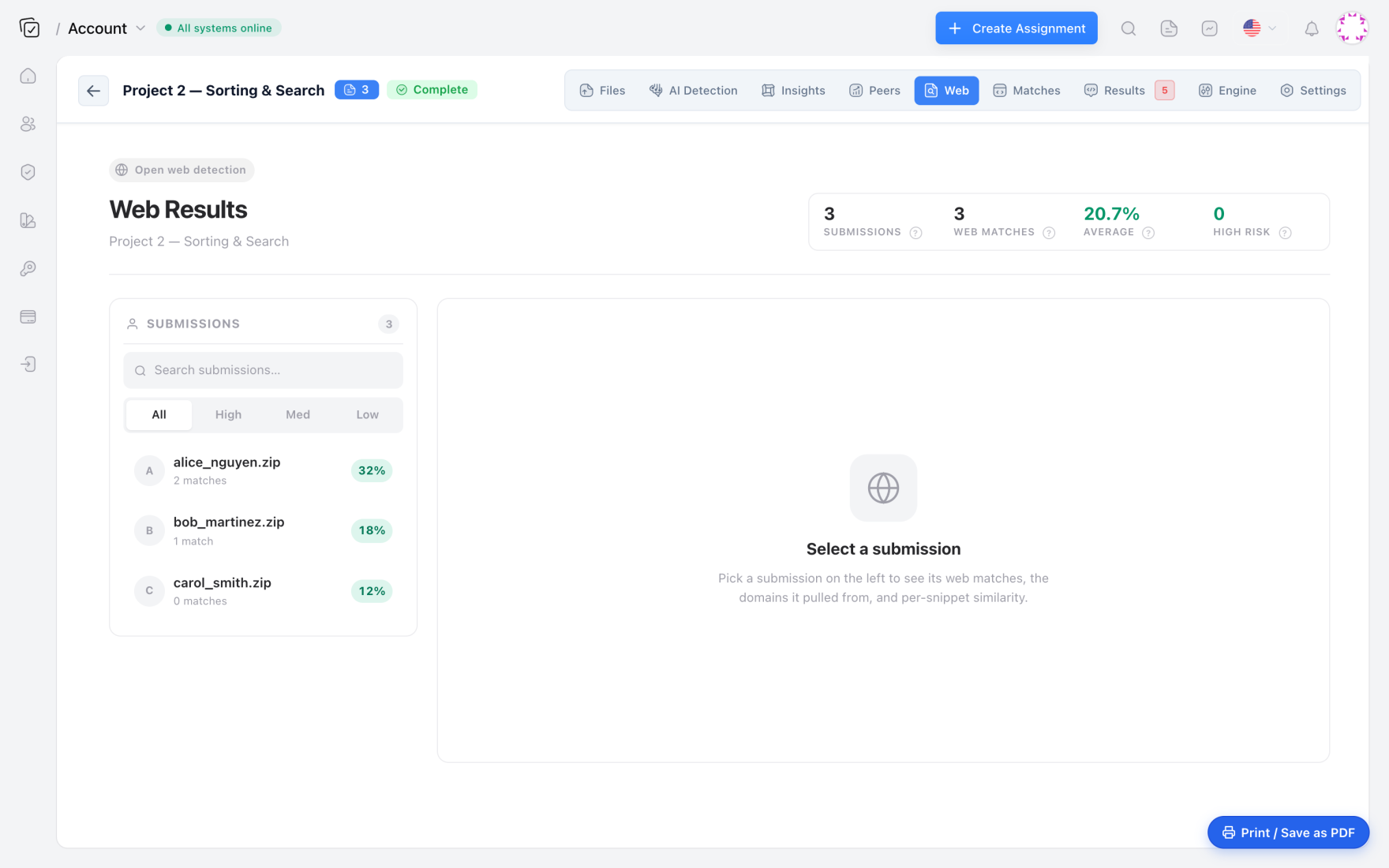
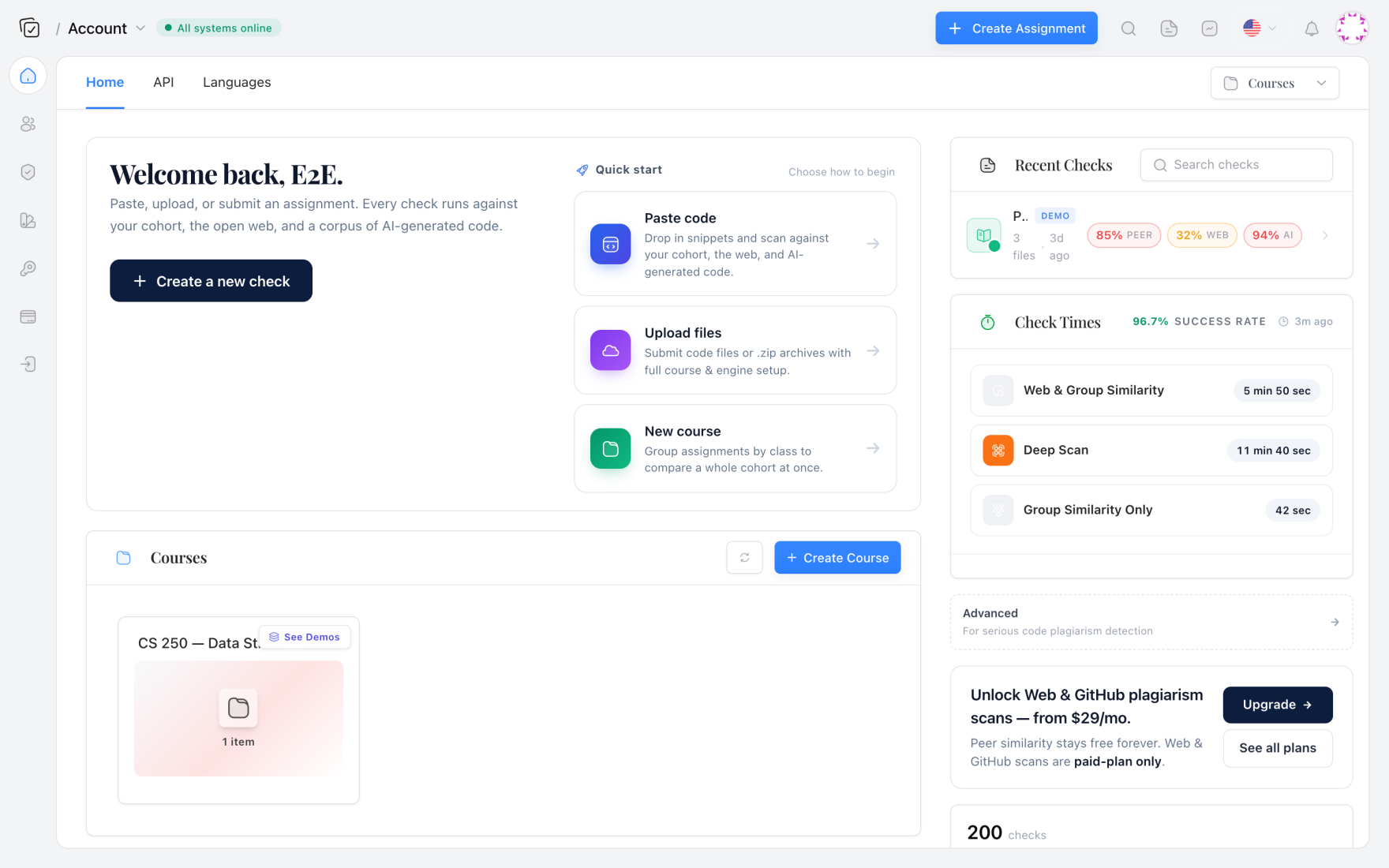
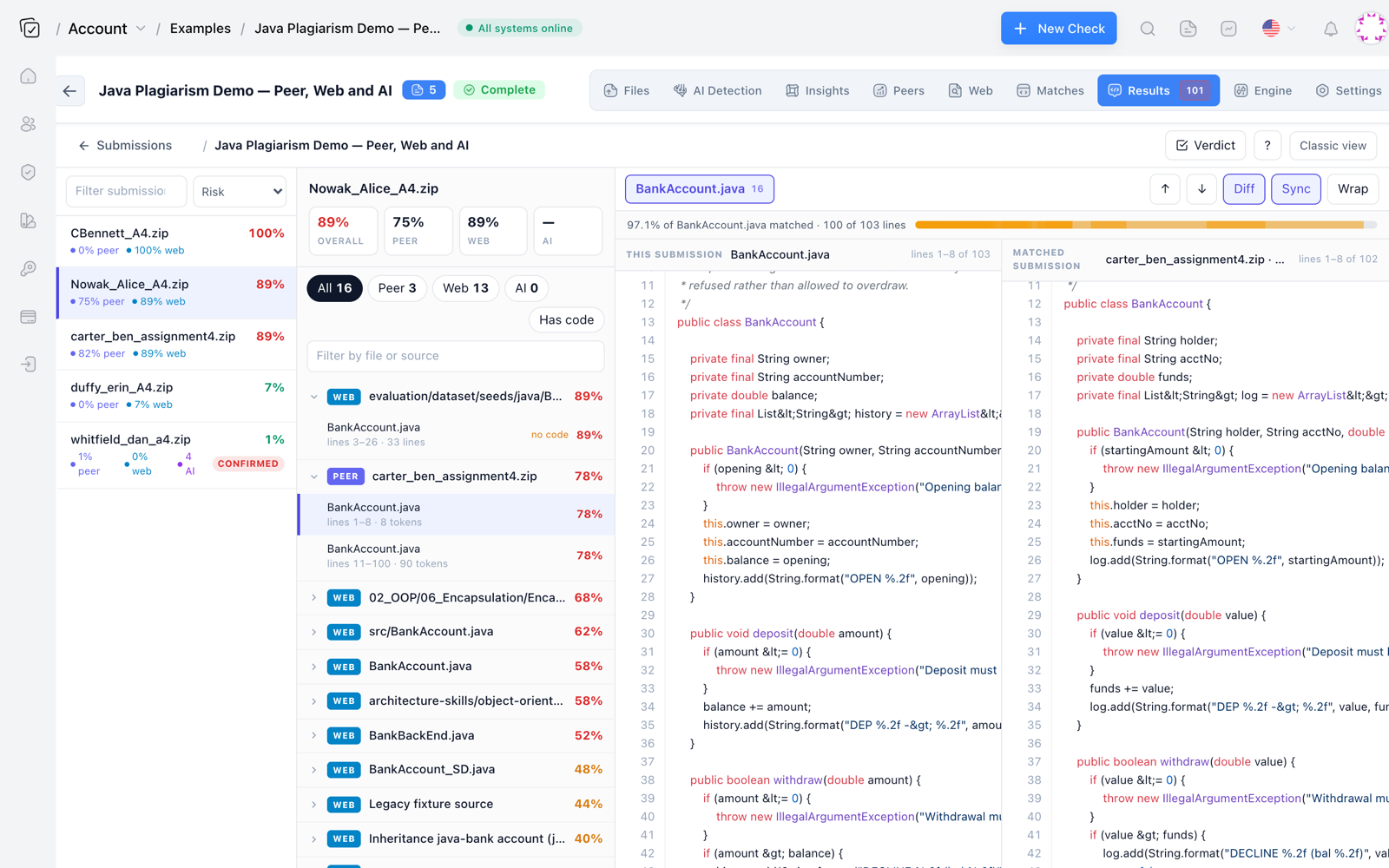
If you prefer a dashboard over an API, the same tool has a web UI where you select language, enable web sources, and drag in a zip of submissions. That's what we used for the first month before we automated the batch job. The dashboard gave us a per-submission web score, a list of sources, and a side-by-side diff.
Reading results without turning every match into an academic integrity case
A high web match score is not the same as misconduct. Boilerplate, generated files, common utility functions, and MIT-licensed snippets all produce matches. If the student copied a 12-line debounce function from a well-known GitHub gist and included the attribution in a comment, that's usually fine for our bootcamp. If they copied 200 lines of tutorial code and submitted it as original work, that's different.
We review the top matches manually. The diff viewer tells us what actually changed. If the overlap is concentrated in a helper function the student clearly used as a library, I let it go. If the overlap is the entire assignment, I start a conversation.
There's also a fuzzy middle. A student writes 60 percent of the assignment themselves and lifts the error handling from a Stack Overflow answer without reading the license or including attribution. The web scan flags the 40 percent. We handle that as a learning moment about licensing and citation, not an honor code violation. The detections are mechanical. The judgment is pedagogical.
Detecting the copy is mechanical. Deciding whether it's misconduct is a conversation about licensing, citation, and what the assignment was meant to teach.
One thing we do not do is treat a single web match as proof. We look at commit history, ask the student to explain the code, and compare the flagged source to the assignment brief. The scan gives us a thread to pull, not a verdict.
License and attribution are not the same thing
When a web scan traces copied code back to a Stack Overflow answer, there's a separate issue underneath. Stack Overflow content is CC BY-SA 4.0. That means a student who copies a solution into a repo and publishes it without attribution may be violating the license. The academic integrity question is one thing. The license question is another, and it follows the code later if the student uses it in a job project or an open-source contribution.
GitHub repositories have licenses too. A student who copies a GPL-3.0 licensed library function into a homework repo and commits it as their own has both a plagiarism problem and a licensing problem. I've had to explain to more than one student that pasting code from a GitHub repo with an MIT license does not erase the original copyright notice requirement. The MIT license is permissive, but the copyright notice and permission notice still have to travel with the code.
We cover this in the first week of the bootcamp now. It was not in the curriculum three years ago. The web-source scan made it unavoidable, because once you see five matches trace back to different licenses, you can't pretend attribution is just an academic nicety.
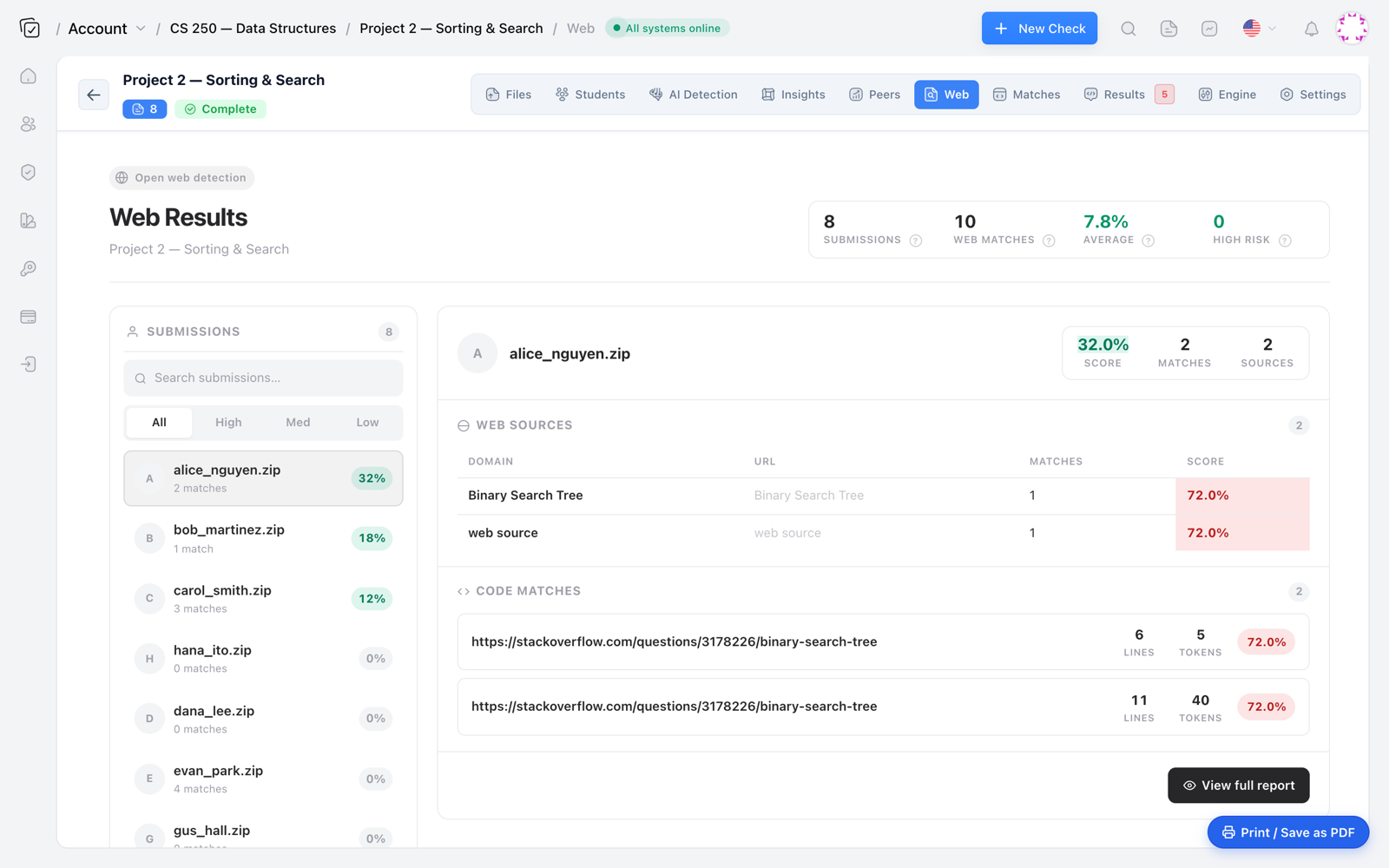
Where Codequiry fits in the stack
We compared a few options before settling on Codequiry. MOSS is peer-only and has no web corpus. JPlag supports many languages and has a strong AST mode, but it's peer-focused and the web piece is manual. Dolos is excellent for peer similarity but again no built-in web lookup. Codequiry is the only one we found that does a real web-source similarity check alongside peer matching, plus an AI code detector for the cases where the weird code is machine-generated rather than copied.
That last part matters more than I expected. In the 2024 spring cohort, some submissions that looked copied actually had low web matches and high AI code detector scores. They weren't from a tutorial. They were generated. Keeping both checks in one dashboard saved us from opening GitHub search tabs for code that no human ever wrote.
The comparison to MOSS was the deciding factor for us. We wrote up the differences in a longer note about Codequiry vs MOSS. For a bootcamp that needs web-source detection, not just peer flags, MOSS alone wasn't enough.
If you're grading a batch this week, start with a source code plagiarism checker that checks both peers and the open web. It's the difference between catching the tutorial clone and watching it walk out the door with a clean report.