One portal for every
code submission.
Collect, organize, and verify code directly from Canvas, Blackboard, or Moodle—no student accounts required.
Plug into your LMS in minutes
Works with Canvas, Blackboard, Moodle, and 20+ other platforms. No IT ticket required.
Brand it with your logo
Add your school colors and logo. Students see your brand, not ours.
Verify when you need to
Optional peer comparison, AI detection, and web source checks—all one click away.
Four steps to organized submissions
From setup to grading, here's the workflow.
Add Codequiry to your LMS
Drop in the LTI launch URL, consumer key, and shared secret. Takes about 5 minutes—no IT ticket needed.
Share your assignment
Students click from your LMS and their name and email auto-fill. Or just share a link—they type their info and upload.
Collect code
Drag-and-drop uploads work with any file type. Students get an instant confirmation email.
Review and verify
Download everything as a ZIP or review online. Run peer, AI, and web checks with one click if you need them.
Connect via LMS or share a link
Both work great. Pick what fits your workflow.
Your brand, everywhere
Add your logo and colors. Students see an official-looking portal, not a third-party tool.
- Your logo and school name — Takes 30 seconds to set up
- Match your school colors — The whole portal adapts
- Branded confirmation emails — Students get proof with your name
Stanford University
Computer Science Department
Assignment 3: Data Structures
Optional checks, when you need them
One click runs similarity checks across all submissions. Results in minutes.
Peer Comparison
Compare every submission against every other. Side-by-side view with highlighted matches.
- Compares all students
- Ignores variable renaming
- Unlimited runs
AI Detection
See if code was written by ChatGPT, Claude, or Copilot. Helpful context for grading.
- Detects major AI tools
- AI-assisted patterns
- Confidence scores
Web Source Check
Compare against a trillion+ sources—GitHub, Stack Overflow, tutorials. Links to matches.
- 1 trillion+ sources
- Direct source links
- Context for review
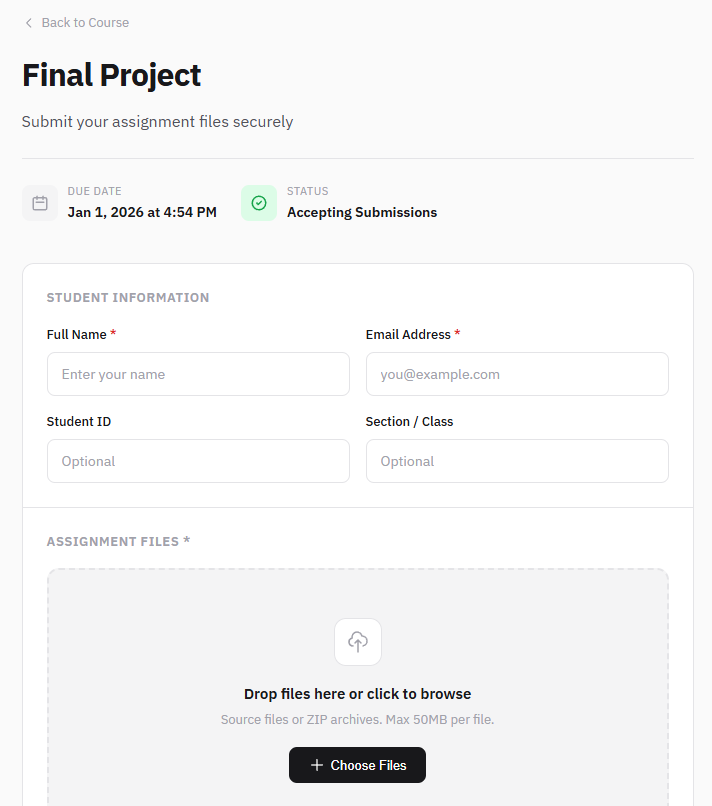
Simple for students
A clean, simple page to upload code. No account needed—just enter details, drag files, done.
- Your school's branding — They see your logo, so they know it's official
- No account required — Just name, email, and upload
- Drag and drop — Individual files or ZIP archives
- Instant confirmation — Email proof they submitted
- Works on any device — Laptop, tablet, or phone
Ready in 5 minutes
Create your first submission portal today. Peer comparison always included.
Works with any LMS · Custom branding included · Cancel anytime