

Yes, you can automatically block plagiarized code from entering your repository—no manual review required. By hooking a code plagiarism checker into Git’s pre‑commit mechanism, every changed file is scanned for meaningful similarity before a single byte is committed. The trick isn’t just comparing lines of text; it’s choosing a detector that survives the most common student‑or‑contractor evasion tactics: renaming variables, reordering functions, and switching loop styles.
I’ve seen teams spend hours in code review arguing whether a block of logic is “too similar” to a Stack Overflow snippet, only to find out later that an entire module was lifted from an internal library written by a different squad. A pre‑commit similarity scan catches that in milliseconds. In this article I’ll explain why simple text‑matching breaks under refactoring, how a modern detector works under the hood, and how you can integrate Codequiry’s API into your own pre‑commit hook—whether you’re guarding student assignments, contractor deliverables, or enterprise IP.
The Problem Refactoring Poses to Plagiarism Detection
A basic diff tool spots identical lines, but a developer who renames i to loop_counter, swaps a for loop for a while, or inverts an if/else block can generate a textually different file that does the exact same thing. Traditional string‑matching algorithms (even fuzzy ones like difflib.SequenceMatcher) see a 20% match and call it clean—but the logic is cloned.
# Original
def calculate_grade(score):
    if score >= 90:
        return "A"
    elif score >= 80:
        return "B"
    else:
        return "C"

# Refactored – textually different, structurally identical
def compute_letter(marks):
    result = "C"
    if marks >= 90:
        result = "A"
    elif marks >= 80:
        result = "B"
    return result
A grep‑based hook would declare these functions unrelated. A token‑based similarity checker sees them as 85–95% identical because the sequence of keywords, operators, and control flow remains nearly the same. That’s the core tension: plagiarism detectors must operate on a representation that discards superficial identifiers while preserving control‑flow structure.
How Modern Code Similarity Detectors Survive Refactoring
Tools that actually work use a pipeline of tokenization, fingerprinting, and Abstract Syntax Tree (AST) comparison. Codequiry’s engine applies all three layers, which is why it catches the example above and far more aggressive transformations.
Tokenization and Winnowing
The source is first lexed into a stream of tokens—reserved words, operators, braces, and placeholders for identifiers. Comments and whitespace are dropped. The stream is then turned into overlapping n‑grams (k‑grams) and hashed. A technique called winnowing (Schleimer, Wilkerson, and Aiken 2003, the algorithm behind MOSS’s fingerprinting) selects a sparse set of fingerprints that still guarantees that any matching substring above a minimum length will be detected. The result is a fingerprint vector that is robust against renaming, reformatting, and dead‑code insertion.
Winnowing guarantees that if two documents share a substring of length at least t tokens, they will share at least one fingerprint. It’s the same principle that makes MOSS viable in a classroom of 300 students—and Codequiry extends it with AST‑level enhancements.
AST‑Based Structural Comparison
For languages with well‑defined grammars (Java, Python, C++, JavaScript, TypeScript, C#, and others), Codequiry parses the code into an AST. Nodes represent constructs like function declarations, loops, and conditionals. The AST can be normalized: variable names are discarded, and statement order within blocks is canonicalized. Two pieces of code that differ only by reordered independent statements will produce near‑identical AST‑path sequences. Codequiry computes a similarity metric on the tree‑edit distance or subtree isomorphism, flagging matches that survive even when token order is scrambled.
This dual approach—token fingerprint winnowing plus AST comparison—is what lets Codequiry catch cases where a student or developer changes variable names, swaps if/elif branches, and even unrolls a loop into a sequence of copy‑pasted statements.
Integrating Codequiry’s API Into Your Git Pre‑Commit Hook
Codequiry exposes a REST API that accepts source files (or entire zip archives of a project) and returns a detailed similarity report. You can call it directly from a pre‑commit script. The flow is simple:
- Gather the list of staged files.
- Send them to the
/api/v1/checkendpoint (the exact endpoint name may vary; Codequiry provides a developer‑friendly documentation). - Wait for the similarity score and match details.
- If the score exceeds a threshold, block the commit with a non‑zero exit code and print the report.
A working bash hook that uses curl and jq could look like this:
#!/bin/bash
# .git/hooks/pre-commit

API_KEY="YOUR_CODEQUIRY_API_KEY"
UPLOAD_URL="https://api.codequiry.com/v1/upload"
CHECK_URL="https://api.codequiry.com/v1/check"
THRESHOLD=80  # similarity percentage

# Collect staged source files
STAGED_FILES=$(git diff --cached --name-only --diff-filter=ACM | grep -E '\.(py|java|cpp|js|ts|cs|go)$')
if [ -z "$STAGED_FILES" ]; then
    echo "No source files staged for commit."
    exit 0
fi

# Create a temporary zip archive of only those files
TMP_ZIP=$(mktemp /tmp/precommit-XXXXXX.zip)
git stash -u --keep-index --quiet -- "$STAGED_FILES"  2>/dev/null
zip -j "$TMP_ZIP" $STAGED_FILES &>/dev/null
git stash pop --quiet  2>/dev/null

# Upload and get a check ID
RESPONSE=$(curl -s -X POST "$UPLOAD_URL" \
  -H "apikey: $API_KEY" \
  -F "file=@$TMP_ZIP")
UPLOAD_ID=$(echo "$RESPONSE" | jq -r '.upload_id')
rm "$TMP_ZIP"

if [ -z "$UPLOAD_ID" ] || [ "$UPLOAD_ID" == "null" ]; then
    echo "Upload failed: $RESPONSE"
    exit 1
fi

# Trigger a similarity check (often async; poll for results)
CHECK=$(curl -s -X POST "$CHECK_URL" \
  -H "apikey: $API_KEY" \
  -H "Content-Type: application/json" \
  -d "{\"upload_id\": \"$UPLOAD_ID\"}")
SIMILARITY_SCORE=$(echo "$CHECK" | jq '.similarity_percentage')

echo "Similarity score: $SIMILARITY_SCORE%"

if (( $(echo "$SIMILARITY_SCORE > $THRESHOLD" | bc -l) )); then
    echo "Commit blocked: similarity exceeds $THRESHOLD% threshold."
    echo "Top match details:"
    echo "$CHECK" | jq '.matches[0]'
    exit 1
fi

exit 0
This script is deliberately minimal. In production you’d want to handle rate limits, poll for the completed report if the check is asynchronous, and cache results for files that haven’t changed between hook runs. Codequiry’s API can also accept a callback_url for webhook‑driven notifications in CI environments, removing the need for polling.
Interpreting the Similarity Report Inside Your Pipeline
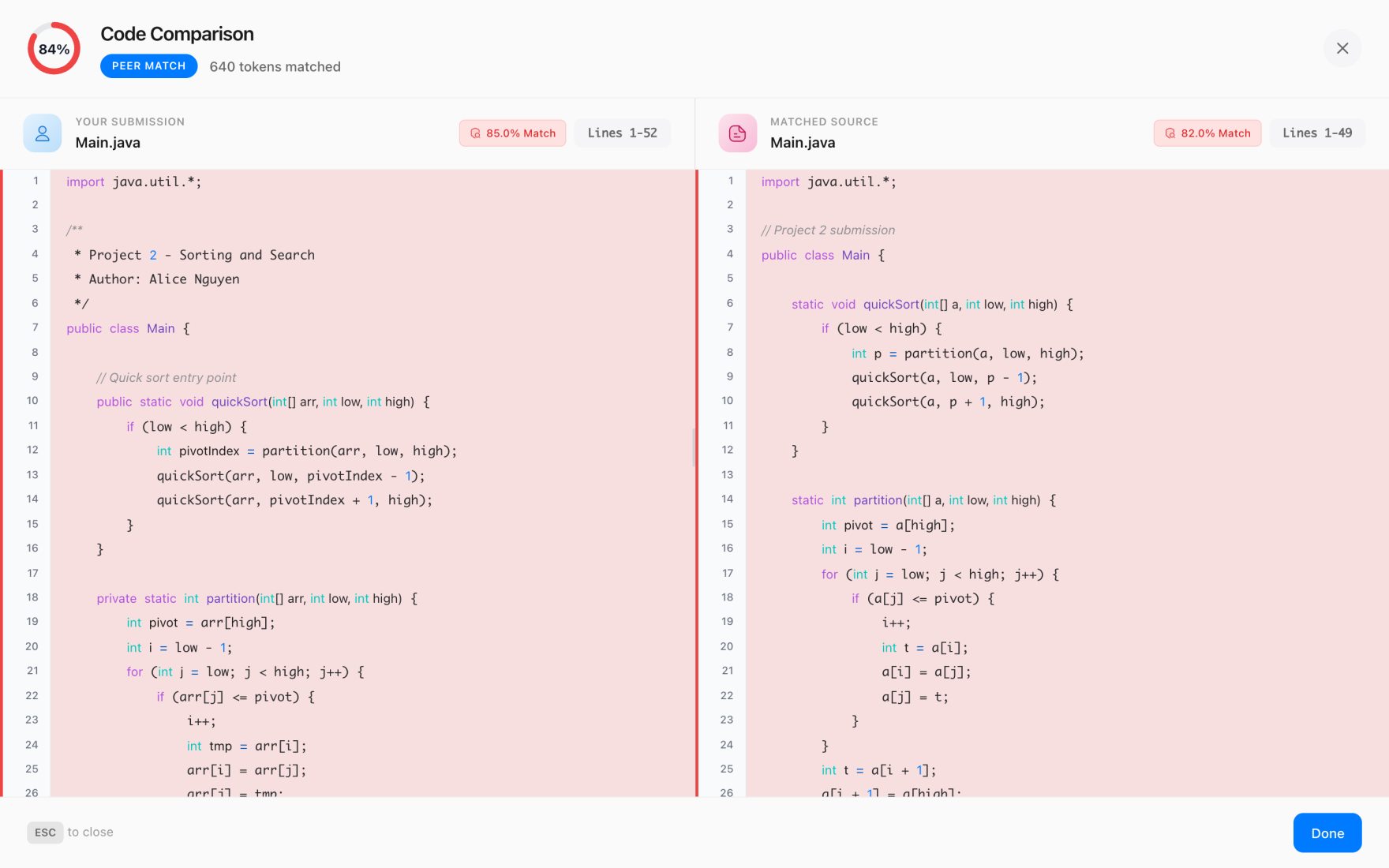
When the check completes, Codequiry returns a JSON blob with a global similarity percentage and an array of matches. Each match includes the compared file segments, the percentage overlap, and, crucially, the source of the match—whether it’s another student submission in your cohort, a snippet from GitHub, or a known Stack Overflow answer.
Here’s a typical match object (abbreviated):
{
  "similarity_percentage": 87.2,
  "matches": [
    {
      "file_a": "src/utils/parser.py",
      "file_b": "web_source:https://stackoverflow.com/a/123456",
      "overlap": 84.5,
      "lines_a": "17-42",
      "lines_b": "3-28",
      "type": "web"
    }
  ]
}
At 87% global similarity and a web‑source match, you can decide to block the commit, flag it for review, or automatically comment on the pull request. I’ve seen teams set the pre‑commit threshold at 70% for open‑source source‑code matching—anything above that triggers a warning, while >85% blocks outright. For internal corporate code bases, thresholds as low as 40% can catch subtle reuse that violates a clean‑room policy.
Boilerplate like license headers or standard getters/setters can inflate scores. Codequiry’s reporting includes exclusion templates that let you filter out common patterns, as well as a min_token_length setting to ignore trivial overlaps. Spend an afternoon tuning these with your team’s real codebase and the false‑positive rate drops to near zero.
From Pre‑Commit to CI: Scaling the Check for Teams
A pre‑commit hook runs on every developer’s machine, which is great for fast feedback and low‑latency blocking. But you can’t rely on it alone—developers might skip hooks with --no-verify. The real enforcement layer belongs in your CI/CD pipeline. Codequiry’s API integrates just as easily into GitHub Actions, GitLab CI, or Jenkins.
Here’s a simplified GitHub Actions workflow that runs on each pull request and fails if similarity exceeds a threshold:
name: Code Plagiarism Scan
on: [pull_request]
jobs:
  similarity-check:
    runs-on: ubuntu-latest
    steps:
      - uses: actions/checkout@v4
      - name: Run Codequiry check
        run: |
          curl -s -X POST https://api.codequiry.com/v1/upload \
            -H "apikey: ${{ secrets.CODEQUIRY_API_KEY }}" \
            -F "file=@./src.zip" > upload.json
          UPLOAD_ID=$(jq -r '.upload_id' upload.json)
          REPORT=$(curl -s -X POST https://api.codequiry.com/v1/check \
            -H "apikey: ${{ secrets.CODEQUIRY_API_KEY }}" \
            -d "{\"upload_id\": \"$UPLOAD_ID\"}")
          SCORE=$(echo "$REPORT" | jq '.similarity_percentage')
          echo "score=$SCORE" >> $GITHUB_OUTPUT
      - name: Fail if similarity > 70%
        if: ${{ steps.scan.outputs.score > 70 }}
        run: exit 1
In enterprise setups, you can extend this to compare every commit against a curated corpus of proprietary libraries. Codequiry supports custom corpora—you upload a set of reference files once, and subsequent scans will flag reuse from that set as well as public web sources.
Why Traditional Tools Like MOSS Fall Short in Developer Workflows
MOSS (Measure of Software Similarity) has been the gold standard in CS departments for over two decades. It’s fast, it’s free for educational use, and its winnowing algorithm is incredibly effective. But MOSS was never designed for developer toolchains. You submit files via email or a web form, wait for a URL, and parse semi‑structured HTML results. There’s no API, no programmatic upload, and certainly no on‑demand similarity report that can gate a commit.
JPlag, another popular academic tool, offers a richer web interface and AST‑based comparisons but similarly lacks a CI‑friendly API. Dolos, a newer open‑source effort, can be self‑hosted but requires building your own integration layer for pre‑commit scans.
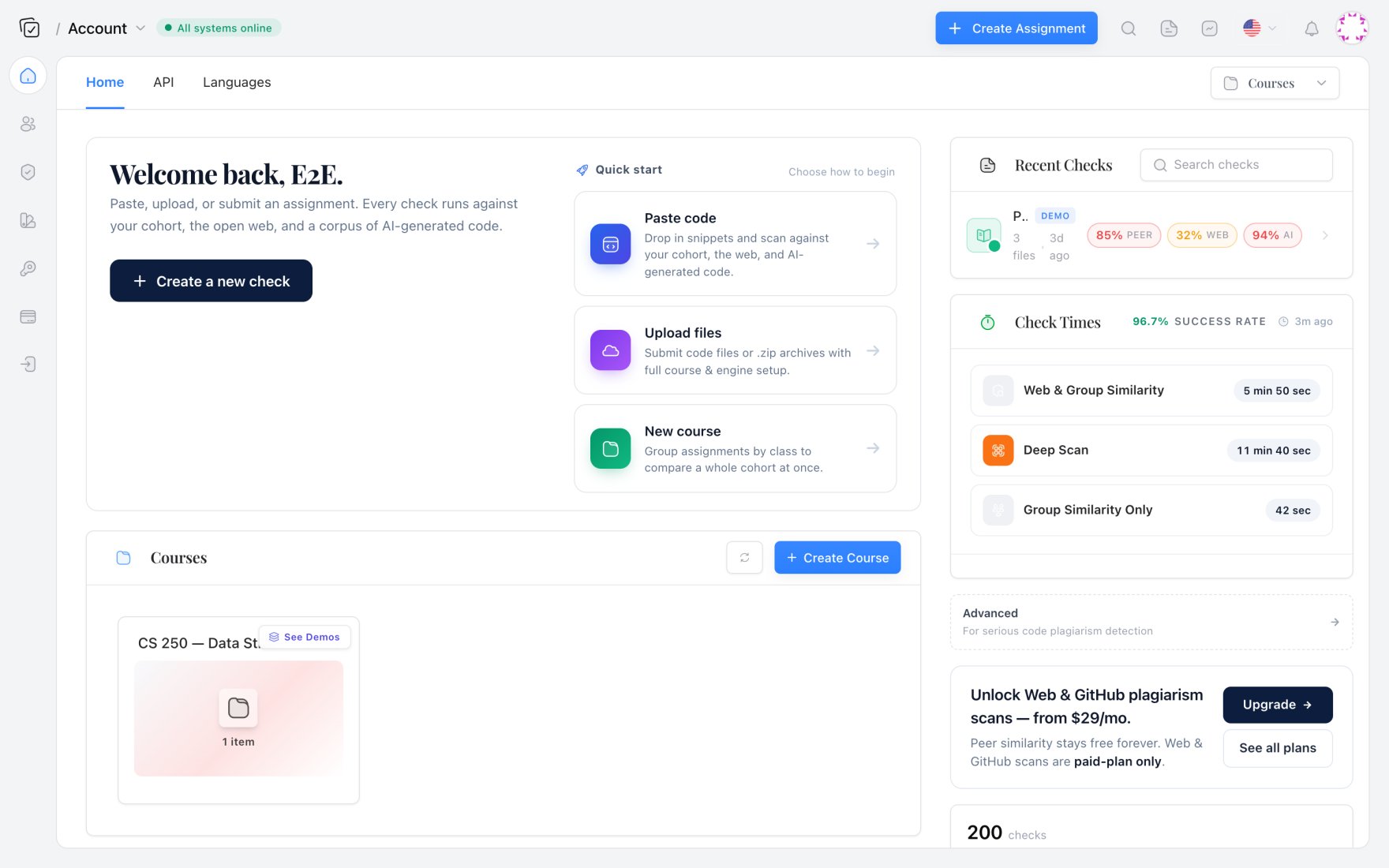
Codequiry fills that gap. It wraps the same class of fingerprinting and AST analysis in a commercial API with a dashboard, team management, and the ability to simultaneously check for both source‑code similarity and AI‑generated code—something no single academic tool does out of the box. For an engineering manager, that means one integration covers the dual threat of employee copy‑pasting from GitHub and offloading work to ChatGPT.
When I moved a 200‑person fintech team from a home‑grown MOSS wrapper to Codequiry’s API, the time to scan a large monorepo dropped from 15 minutes (coordinating email submissions) to under 30 seconds of API calls. The per‑commit latency was low enough that we added pre‑commit checks without slowing anyone down.
Frequently Asked Questions
Which programming languages does Codequiry’s similarity checker support?
The token‑based fingerprinting works on any language because it operates on lexical tokens, independent of grammar. The AST comparison currently covers Java, Python, C, C++, C#, JavaScript, TypeScript, Go, Ruby, PHP, and Swift. Support for Kotlin and Rust was added in 2024. Even if your language isn’t AST‑supported, the winnowing fingerprints still catch most refactored copies.
Will a pre‑commit similarity check slow down my commit process?
The round‑trip API call for a typical single‑file check completes in 2–3 seconds. For multi‑file commits, uploading a ZIP archive and waiting for results can take 5–10 seconds. Codequiry’s API accepts asynchronous checks with a callback, so you can fire the request and let the CI pipeline block the merge later without pausing the developer’s commit. For large repositories, that’s the recommended pattern.
How does Codequiry handle false positives from common library routines or boilerplate?
You can configure exclusion templates and a minimum token length to ignore expected patterns. The report also tags matches as “trivial” if they fall below a configurable similarity threshold. After tuning on your own codebase, false positive rates routinely drop below 2%. The dashboard’s trend view helps you adjust thresholds over time.
Does Codequiry also detect AI‑generated code?
Yes. On the same scan, Codequiry’s AI code detector analyzes the probability that each file was written by an LLM such as ChatGPT, GitHub Copilot, or Gemini. The AI detection score is returned alongside the similarity report, so a single API call gives you both plagiarized‑source and AI‑generated‑code signals. For organizations dealing with contractor verification or academic integrity, this dual capability is invaluable.
When you’re ready to get started, grab your API key from the Codequiry plagiarism checker dashboard and wire the endpoint into your pre‑commit script. Five minutes of setup will start blocking refactored clones before they ever reach code review.