

Last spring I graded 217 take-home React challenges for a full-stack bootcamp. The spec was a small dashboard that fetched data from a mock API and rendered three components. Twenty-two submissions were effectively identical to what ChatGPT 4 produced when I fed it the same prompt. The rest varied. The difference? The assignments that resisted AI came with constraints that forced students to show their work, not just their output.
AI-resistant assignment design is about process requirements, contextual constraints, and grading rubrics that reward original problem-solving. Here's what that looks like in practice.
What Makes an Assignment AI-Resistant?
Most coding assignments ask for a finished artifact. That's the problem. A large language model is very good at producing finished artifacts from a well-specified prompt. It is not good at reproducing the messy, context-dependent decisions a human makes along the way, especially when those decisions depend on details the prompt doesn't include.
So the first step is to invert the assignment. Instead of asking for only the final code, ask for evidence of the intellectual journey. That doesn't mean asking students to write essays about their code. It means requiring artifacts that are natural byproducts of real software development: commit messages, debugging logs, source annotations, and explanation of tradeoffs.
Here's a template we use for our process log, adapted for a Python assignment:
{
  "commit_history": [
    {"sha": "a3f2b1", "message": "add parser for comma-separated input", "files_changed": 2}
  ],
  "debugging_log": [
    {"timestamp": "2024-03-14T10:22", "error": "TypeError on line 33", "cause": "mixing list and generator", "fix": "changed to list comprehension"}
  ],
  "sources": [
    {"url": "https://docs.python.org/3/library/re.html", "used_for": "regex for phone numbers", "adapted": true, "adaptation_note": "changed to handle optional country code"}
  ]
}
This isn't a code review tool. It's a thinking tool. And it takes students about ten extra minutes per assignment once they get used to it. The first semester we tried this, we made the log optional. Almost nobody filled it out. When we made it worth 15% of the assignment grade, compliance jumped to 94%.
Require Process Artifacts Beyond the Final Code
The process log above is one example. But the more you tie the artifact to a specific decision the student had to make, the harder it is to fabricate without doing the work. In our bootcamp, we now ask for three specific process items on every take-home:
- A one-paragraph explanation of the most difficult bug you fixed, including the exact error message and what you changed.
- A screenshot of your terminal or debugger at a point where you were stuck, not the moment after you fixed it.
- A list of any code you copied from Stack Overflow, GitHub, or an AI assistant, with a note on how you adapted it.
That last item is the one students resist most. They worry it will get them in trouble. In fact, the opposite happens: when you normalize attribution, students stop trying to hide their sources, and you start seeing the actual learning process. We had a student last fall who pasted a Stack Overflow answer for a date-parsing edge case, then wrote "I didn't understand why this worked until I read the second comment, then I modified it to handle our timezone requirement." That's exactly what we want. That student earned full credit for the process component.
If a student can paste your assignment into a chat window and submit the result without any intermediate thought, you haven't written an assignment, you've written a prompt for a stochastic parrot.
Design for Stepwise Reveals
An assignment that gives a single large prompt is easy for an AI to swallow whole. Break it into stages where each stage depends on output from the previous one, and where the prompt for stage two is only revealed after stage one is submitted. This doesn't require a fancy autograder. You can do it with a simple release schedule in your LMS or a script that emails the next part after a deadline.
Here's a simplified version of a stage-one prompt we use for a Node.js API assignment:
// Stage 1: Implement a GET /users endpoint that returns a list of users
// from a provided JSON file. You must:
// - Use only the built-in http module, no Express
// - Return exactly the shape { users: [...] }
// - Handle a missing JSON file with a 500 and a JSON error body
// Do not implement any filtering, sorting, or pagination yet.
When stage two arrives, it asks students to add filtering by query parameter. But it also asks them to refactor stage one so the file reading is extracted into a function. If a student generated stage one with an AI tool, the refactoring step often breaks because the generated code doesn't separate concerns cleanly. More importantly, the student has to understand what they submitted to explain the refactor. That's the moment you catch the ones who just pasted output.
I haven't tested this past a few hundred student submissions, but in our cohort the stepwise reveal approach doubled the number of students who could explain their own code during the one-on-one review that follows.
Use Contextual Constraints That Break LLM Patterns
LLMs are pattern matchers trained on public code. They do well with standard library conventions and common idioms. They do poorly when you introduce a constraint that is specific to your course, your fake company, or your pretend system. For example, instead of asking students to "sort an array of integers in descending order," ask them to "sort a list of employee records by last name, then first name, but only for employees in the Europe region, and preserve the original order for ties." That's not a hard problem, but it requires understanding your specific data shape and business rule. An LLM can still generate something, but it will often miss the tie-breaking rule unless you spell it out in the prompt, which the student then has to include. If the student doesn't understand the rule, they can't even ask the AI correctly.
We used a similar trick in a Java assignment about a parking lot system. The spec included a rule: "Motorcycles may park in any spot, but compact cars may only park in compact spots, and full-size cars may only park in regular spots. When a motorcycle leaves a regular spot, the next waiting compact car gets priority over a full-size car." That rule is unnatural enough that generic AI training data doesn't help. A student using an AI would have to feed all the rules into the prompt, which means they had to read and understand them first. That's a small win, but it adds up.
How We Grade Process Instead of Just Output
Once you require process artifacts, you need a rubric that actually rewards them. Here's the split we landed on after two semesters of tuning:
- 40% for functional correctness, verified by tests
- 25% for code quality, checked by a human and a linter
- 20% for process artifacts (debug log, attribution notes, commit history)
- 15% for an oral explanation or a recorded walkthrough of one specific function
The oral explanation is the most powerful single change we made. In a bootcamp, we can do a 5-minute Zoom call with each student. In a university course with 200 students, that's not feasible, but a 2-minute recorded video where the student walks through one function works almost as well. We've had students submit perfect code but then freeze when asked to explain a line they clearly didn't write. That's a stronger signal than any automated tool.
We rolled out this rubric in Fall 2023. The first version had a bug: we forgot to tell the students that the oral explanation would be graded for "explanation quality" not "correctness." So a few students panicked and tried to memorize their code, which defeated the purpose. We fixed the language in Spring 2024, and the anxiety disappeared.
Where Detection Tools Fit In
Process requirements and contextual constraints reduce the number of AI-generated submissions, but they don't eliminate them. Some students will still try to get away with a fully generated solution and a fabricated process log. That's where a detection step helps, not as the first line of defense, but as a filter for the submissions that look suspicious anyway.
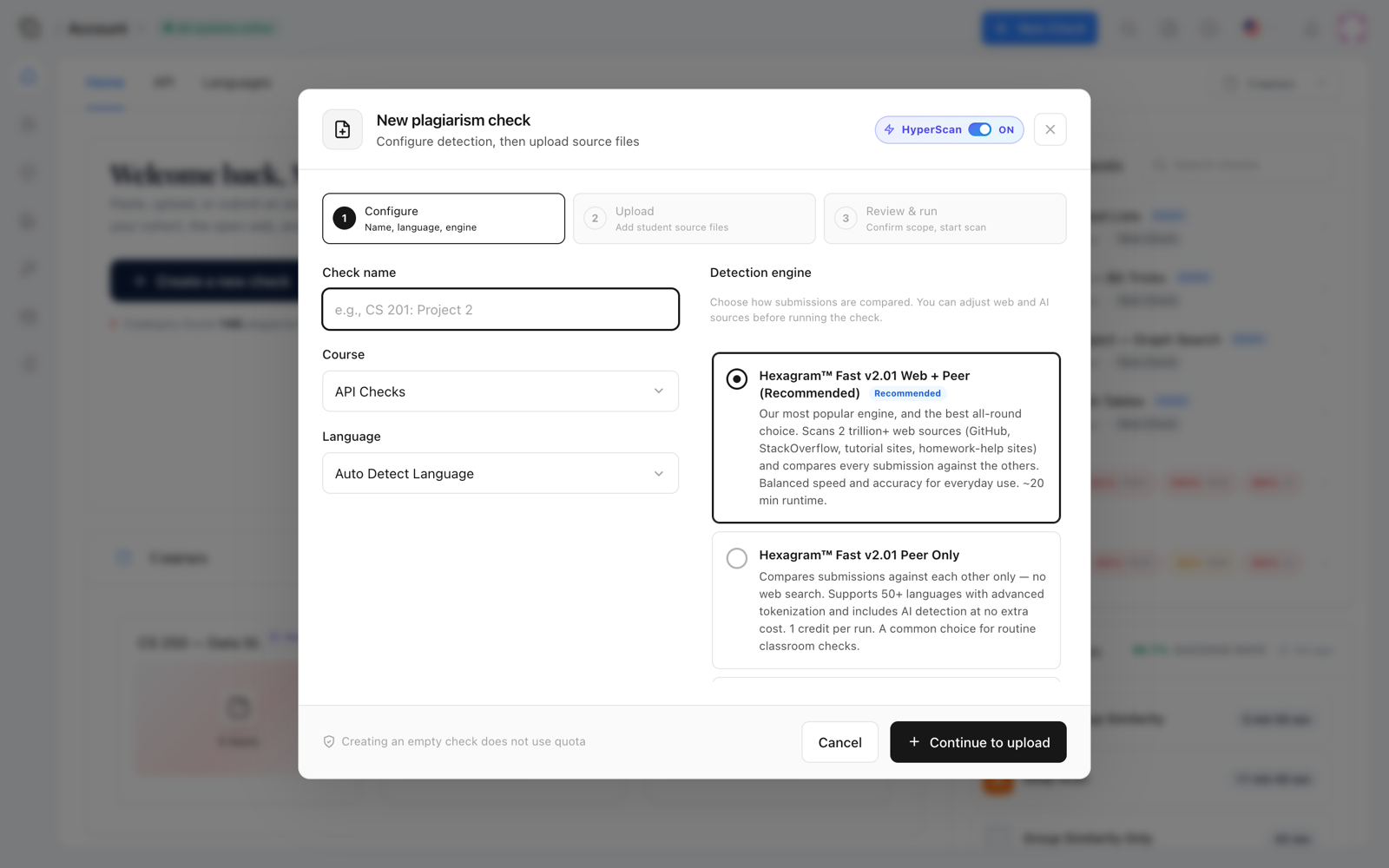
We run every submission through a code plagiarism checker that compares against both peer submissions and public web sources. For our take-home challenges, the tool flags copy-paste from GitHub repositories and Stack Overflow answers that students didn't attribute. For AI-generated code, we use the AI code detector on the same platform, which scores each file on statistical features like token distribution and structural regularity. The two checks work together: a submission that gets a high peer-plagiarism score but a low AI score is a different case than one that gets a high AI score but no peer matches. Having both in one dashboard saves us from running two separate tools.
When we first integrated this into our workflow, we thought the detection tool would do most of the work. It didn't. The real work is the assignment design. The tool is there to confirm what we already suspect when a student's process log is vague or their oral explanation doesn't match their code.
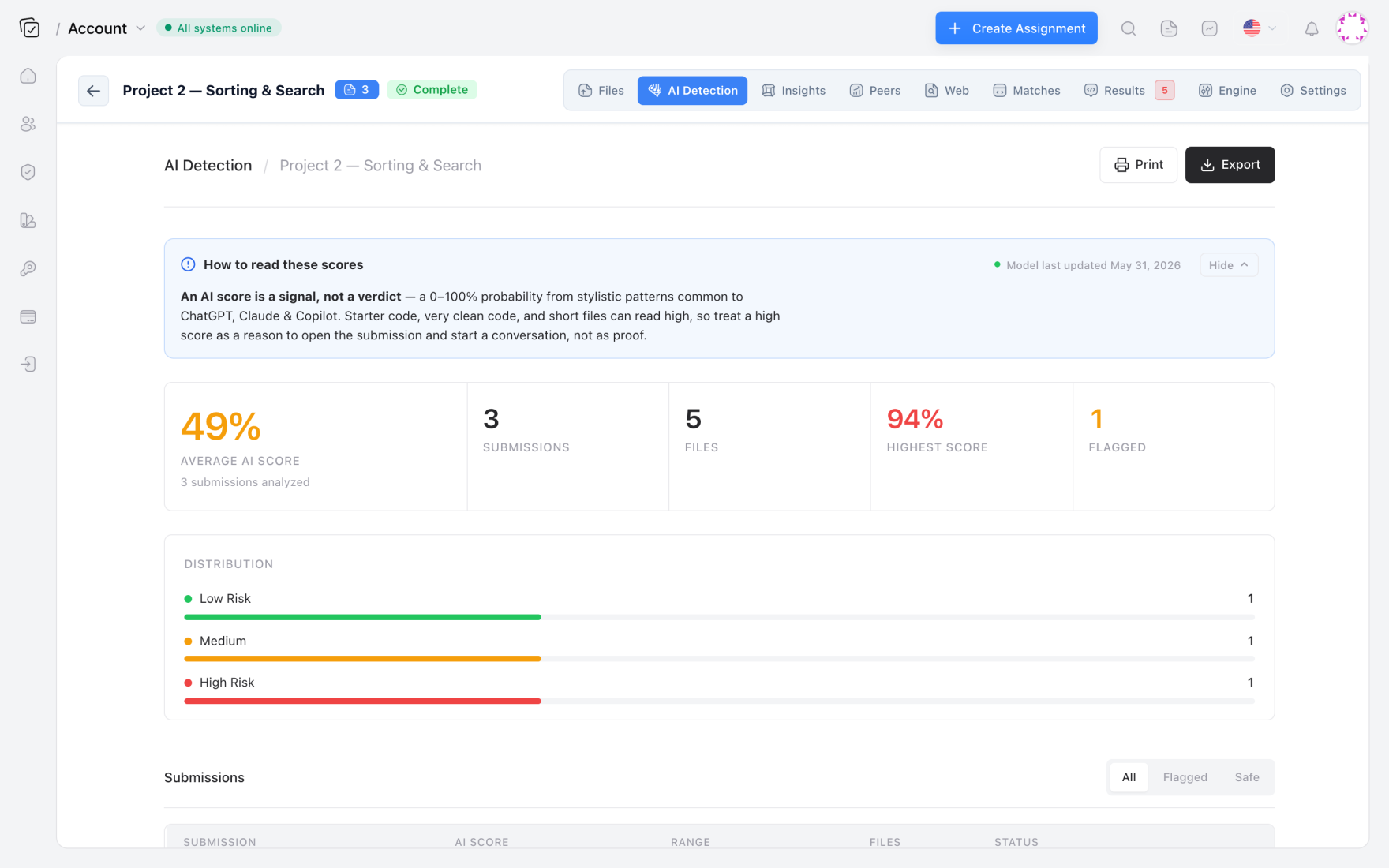
One thing I've learned: don't treat a high AI score as proof of misconduct. Treat it as a reason to have a conversation. We had a student whose AI score was 91% on a function that turned out to be a standard binary search implementation. He had learned it from a Udemy course and wrote it from memory. His explanation was solid, and the process log showed the debugging steps he took to get the boundaries right. We cleared him. The score was a false positive in the sense that it didn't indicate cheating, but it did indicate a learning moment: he needed to stop memorizing patterns and start understanding them.
If you're using an older tool like MOSS or JPlag, you'll get peer similarity but not AI detection. Some instructors run both, but it's easier to use one platform that covers both cases. Codequiry's API also lets us run checks from our grading scripts, which is how we automate the first pass on 200+ submissions before a human reviews the flagged ones.
The Takeaway
You can't write an assignment that a determined cheater can't game. But you can write one that makes cheating more work than learning. Process requirements force students to engage with their own code. Contextual constraints force them to understand the problem before they can ask an AI for help. Stepwise reveals force them to build on their own previous work. And detection tools catch the ones who still try to skip all of that. Last spring, our AI-assisted submission rate dropped from 31% to 12% after we redesigned the three major take-homes. The remaining 12% were mostly students who used an AI as a pair programmer but could still explain every line. That's not a problem. That's the future of software development.
If you're reworking your own assignments, start with the process log and the attribution requirement. Those two changes take an afternoon to implement and they give you the evidence you need for every other conversation. Then run your first batch of submissions through a source code plagiarism checker to see what you're working with. The data will tell you which assignments need more contextual constraints, because those are the ones where the AI scores cluster highest.